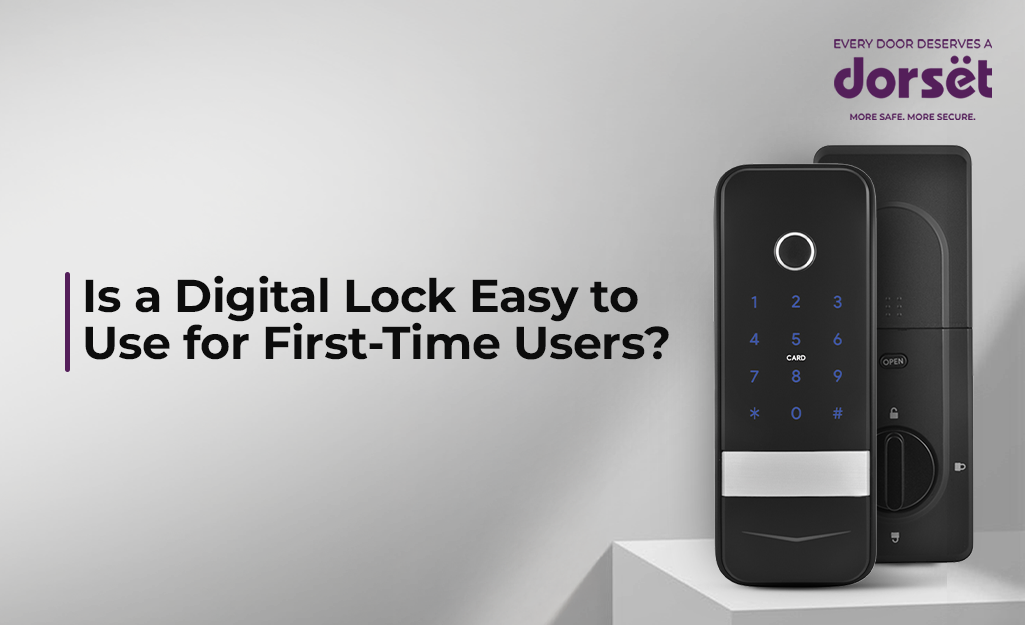
If you have been thinking about switching from a traditional lock to a digital one, you might be wondering whether it will feel complicated or difficult to use in your everyday routine. For many homeowners, the idea of using a digital lock can seem unfamiliar at first because it replaces something as simple and long-standing as a physical key.
The good news is that digital locks are designed for convenience and are built keeping everyday users in mind, even those who are using such technology for the very first time. When you start using one, you often realise that using a digital lock becomes second nature much faster than expected.
Understanding How Digital Locks Work
Before worrying about usability, it helps to understand how digital locks actually work in simple daily situations and how they are designed to simplify rather than complicate your life.
Digital locks replace traditional keys with access methods such as:
- PIN codes
- Fingerprints
- Mobile apps
- RFID cards
Instead of depending on carrying and managing physical keys, you can unlock your door using whichever method feels most comfortable to you.
For example, models like the Dorset DG 204 allow access through fingerprint, PIN, and mobile which makes it easier for first-time users to choose the method they are most familiar with.
This flexibility makes the transition from traditional locks to digital ones much smoother for beginners.
Why First-Time Users Find Digital Locks Easy
Digital locks are designed to remove everyday inconveniences that people face with mechanical locks and to make access simpler for people of all age groups.
No More Key Dependency
One of the biggest adjustments for new users is letting go of the habit of carrying physical keys at all times.
Traditional locks require you to:
- Carry keys everywhere
- Keep spare keys safe
- Worry about losing them
Digital locks remove this dependency by offering alternative ways to access your home.
With options like fingerprint or PIN entry in models such as Dorset DG 203, you simply use your preferred method without needing to search for keys.
Simple Everyday Operation
Many first-time users assume digital locks involve complex steps or technical knowledge, but most systems are designed with very simple user interfaces. This means that opening your door can be as easy as unlocking your smartphone.
Once your access is registered during setup, daily usage becomes quick and effortless.
Multiple Access Options Reduce Stress
Having backup options makes first-time users feel more confident because they know they are not relying on just one way to enter their home.
Digital locks allow:
- Multiple users to be registered
- Different access modes to be used
- Backup entry methods
For example, if you are not comfortable using an app initially, you can rely on fingerprint or PIN until you become familiar with other features.
Addressing Common First-Time Concerns
It is completely normal to feel unsure about using a digital system among other door lock types.
Let us look at some concerns that beginners often have.
Is Setup Difficult?
Many people assume that installing and setting up a digital lock requires technical expertise.
In reality, the setup process is designed to be simple.
Most digital locks allow you to:
- Register fingerprints easily
- Create PIN codes quickly
- Add users step-by-step
What About Elderly Family Members?
A common concern is whether older family members will find digital locks difficult to operate. Digital locks can actually be easier for the elderly because they eliminate the need to handle small keys.
Instead, they can use:
- Fingerprint access
- Face recognition
- Simple PIN codes
This makes entry quicker and reduces the chances of misplaced keys.
Features That Make Digital Locks Beginner-Friendly
Several built-in features make digital locks easier to adopt for people who are using them for the first time.
Auto Lock
Forgetting to lock the door is a common concern when adjusting to new systems.
Auto-locking makes sure that your door secures itself after closing.
User Management
Managing access digitally is often easier than handling multiple physical keys. You can add new users easily and remove access instantly. This makes everyday access management simple and stress-free.
Backup Access
Having fallback options gives beginners confidence while adapting to digital systems. Dorset digital locks include a mechanical key backup and multiple digital entry methods. This makes sure that you are never locked out even while you are still getting used to the system.
Adjusting to Daily Use
Like any new habit, using a digital lock becomes easier with regular use.
Within a short period, actions like fingerprint entry or PIN unlocking feel completely natural.
Users often realise that entering their home becomes quicker, the security improves, and any key-related worries disappear. The learning curve is minimal because the system mirrors familiar actions like using a smartphone.
Choosing the Right Digital Lock for Beginners
Selecting the right lock can make the transition even smoother for first-time users.
When choosing a digital lock, consider:
- Simple authentication options
- Clear interface
- Multiple access modes
The Bottom Line
Digital locks are not difficult to use, even if you are trying them for the first time. They are designed to simplify access rather than complicate it. With features that support ease of use, the best smart locks for home help remove everyday inconveniences while maintaining strong security.
If you give yourself a short adjustment period, you will likely find them easier and more convenient than traditional locks. And once you get used to them, going back to physical keys may feel unnecessarily complicated.
FAQ
1. Are digital locks difficult for first-time users?
No, digital locks are designed to be simple and intuitive, so most people learn how to use them within a few days of regular use. Dorset digital locks offer multiple access modes like fingerprint, PIN, mobile access, and more for easy everyday operation.
2. Do I need technical knowledge to use a digital lock?
No, most digital locks work with simple steps like entering a PIN or placing your finger on the sensor, similar to unlocking a smartphone. Dorset digital locks are designed with user-friendly interfaces that are suitable for everyday home users.
3. Can elderly family members easily use digital locks?
Yes, many elderly users find digital locks easier because they do not have to carry small keys or search for them. Dorset digital locks allow you to choose from the multiple access modes like fingerprint, face recognition, and PIN access for convenient entry.
4. Do digital locks automatically lock the door?
Many digital locks include an auto-lock feature that secures the door automatically after it closes. Several Dorset models offer auto-lock functionality for added convenience.
5. Are digital locks safe for children to use?
Yes, digital locks are easy for children to use because they can enter with fingerprints or simple PIN codes instead of carrying keys. Dorset digital locks allow multiple family members to register individual access methods so everyone can access the lock the way it feels easiest to them.