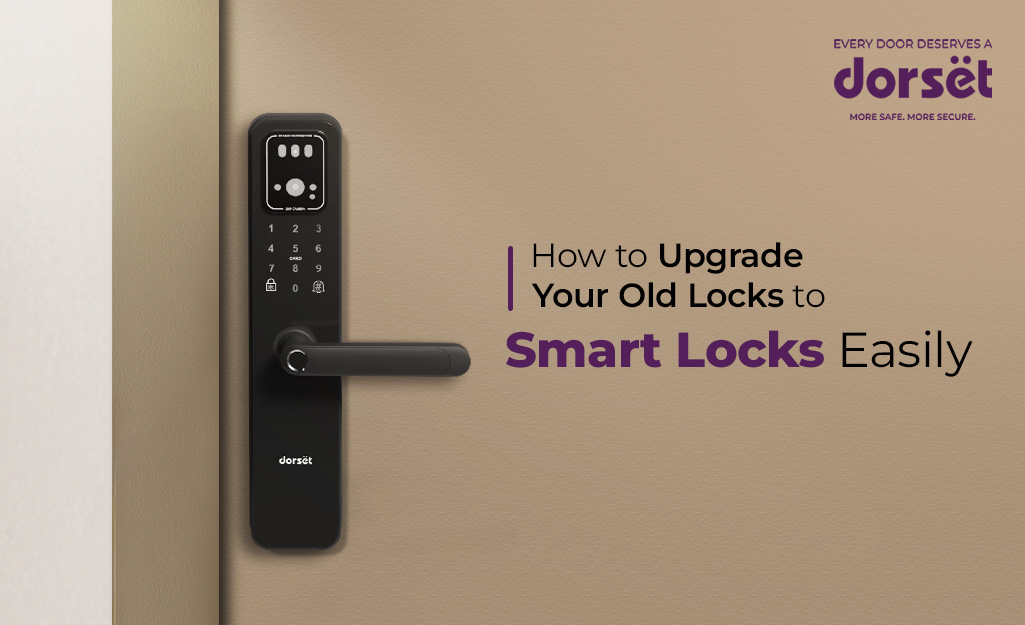
If you’ve been relying on the same mechanical locks for years, chances are you’ve wondered whether it’s finally time to upgrade to something smarter. A modern smart lock will give you convenience, better control over access, and peace of mind in a way traditional locks simply can’t match. And the best part is that transitioning from your old locks to digital ones is easier than most people expect.
As smart locks become more common in Indian apartments and independent homes, more homeowners are realizing that an upgrade doesn’t require renovating doors or changing hardware layouts. With the right choices and a little guidance, you can upgrade to a digital lock comfortably, safely, and without unnecessary complications.
1. Check Your Door Type and Existing Hardware
Before upgrading, take a quick look at what kind of lock is currently installed. Most Indian homes use rim locks or mortise locks, and this will help you decide which type of smart lock will fit your door and habits the best.
If you’re currently using a rim lock, digital rim models like the Dorset DG 905 or DG 902 from our range fit easily because they mount on the door surface. For mortise-style digital locks such as DG 202, DG 201, or the more advanced, camera-enabled DG 406, check the door thickness to make sure it matches the lock requirements.
What you’re checking for
- Door thickness
- Wooden or metal door
- Existing lock placement
- Whether it’s a single door or double door
Most modern smart locks adapt well to standard Indian doors, so you’ll rarely need any major modification.
2. Choose the Smart Lock Features You Actually Need
Smart locks come with varied features, and choosing the right ones can make your daily routine much easier. Instead of focusing on every possible function, pick the ones that solve your real problems.
Many homeowners who just want basic functions, choose models like the DG 203 or DG 102 because they provide fingerprint access, PIN options, RFID cards, and mechanical keys for emergencies. If remote access matters to you, look for Wi-Fi-enabled models such as the DG 206 or the DG 205.
Think about features like
- Fingerprint unlocking
- PIN/password access
- RFID card access
- Mobile app integration
- Wi-Fi / BLE for remote control
- HD video camera for visitor monitoring
- Mechanical key backup
Pick what matches your lifestyle so the lock enhances your comfort instead of complicating things.
3. Decide Between DIY and Professional Installation
While some smart locks are simple enough for DIY installation, we always recommend professional assistance especially if you’re upgrading from an older mechanical lock. This makes sure you get proper alignment, secure mounting, and smooth functioning of all access modes.
As part of our Dorset Care service, we provide doorstep installation and repair by trained technicians. You simply choose your lock, schedule a visit, and let our team handle the upgrade without hassle.
Why professional installation helps
- Correct drilling and alignment
- No damage to the door
- Optimised fitting for long-term durability
- Quick demonstration of features
This makes the upgrade process completely stress-free.
4. Set Up Your Access Permissions
Once your smart lock is installed, you can personalise how you and your family will use it. For example, using it as a fingerprint door lock might be best for daily use, while a PIN can be shared with trusted visitors. RFID cards work well for kids and older adults who prefer something simple.
Many models like DG 204 PRO, DG 202, and DG 203, to name a few, also allow you to manage access through your phone giving temporary passwords to house help, delivery staff, or guests. This is especially helpful for people living in apartments or managing rental properties.
What you can customise
- Number of saved fingerprints
- Permanent or temporary PINs
- RFID card limits
- One-time passwords
- User permissions for staff or tenants
You now control exactly who enters your home and when.
5. Connect the Lock to Wi-Fi or Bluetooth (If Needed)
If your chosen smart lock supports Wi-Fi or BLE, connecting it allows you to check door status, receive activity alerts, get an audit trail and unlock remotely. This adds a strong convenience layer if you travel often, work late, or want to monitor access for family members. Once connected, you can manage everything through the Dorset Smart Life app.
6. Learn the Safety Features and Start Using Them Daily
Smart locks come with security settings designed to keep your home safe. Anti-theft alarms, password protection, low-battery alerts, and auto-lock functions help prevent common risks.
The more you explore these features, the more you’ll appreciate the added control smart locks offer.
Helpful settings to enable
- Auto-lock
- Wrong-attempt alarm
- Privacy mode / Do-not-disturb
- Low-battery notification
- Unlocking history logs
Using these features daily strengthens your home security effortlessly.
7. Keep After-Sales Support in Mind
When upgrading to a digital lock, reliable support matters. We provide responsive help through Dorset Care, whether you need installation, troubleshooting, or replacement.
Customer Support
Call: 1800 11 4448
Email: response@dorsetindia.com
We always encourage customers to reach out because feedback and queries help us serve better.
Final Thoughts
Upgrading your old locks to smart locks is a genuine improvement to home safety and convenience. Whether you want fingerprint access at the door, the ability to control entry through your phone, or the comfort of knowing your home is secure even when you’re away, there’s a smart lock designed for your needs.
Our digital lock range offers options for every home, from simple upgrades to feature-rich smart lock solutions with video monitoring. Once you take the step to upgrade, you’ll notice how much smoother and safer your daily routine becomes.